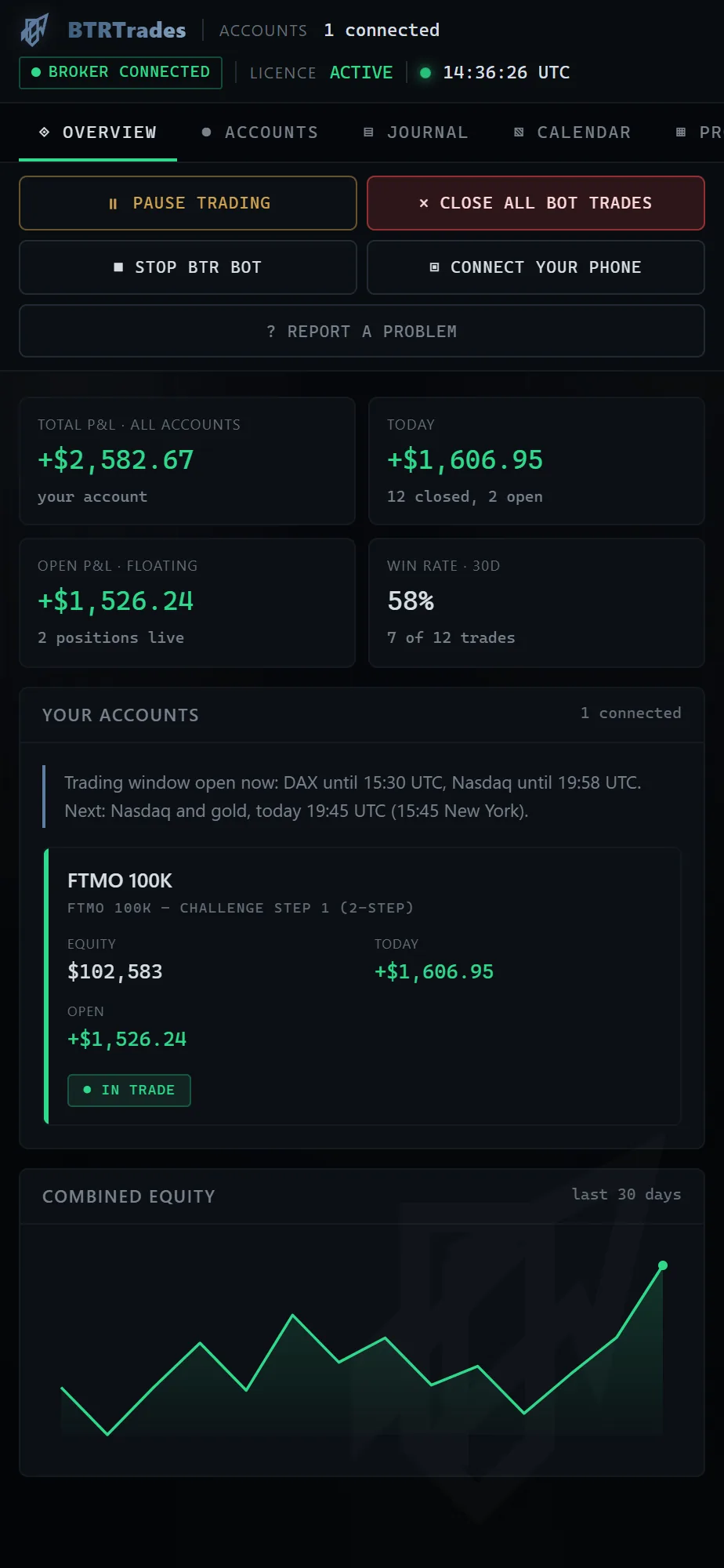
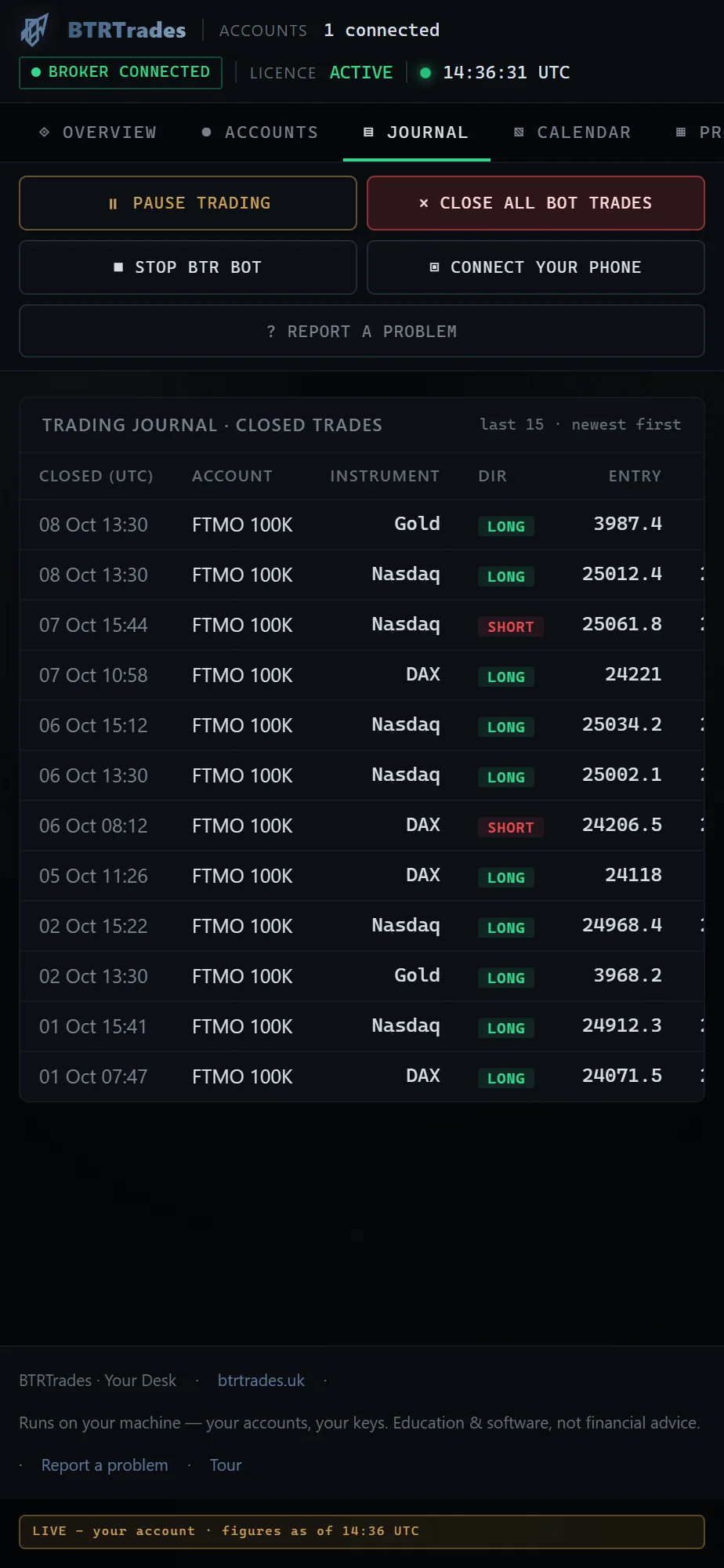
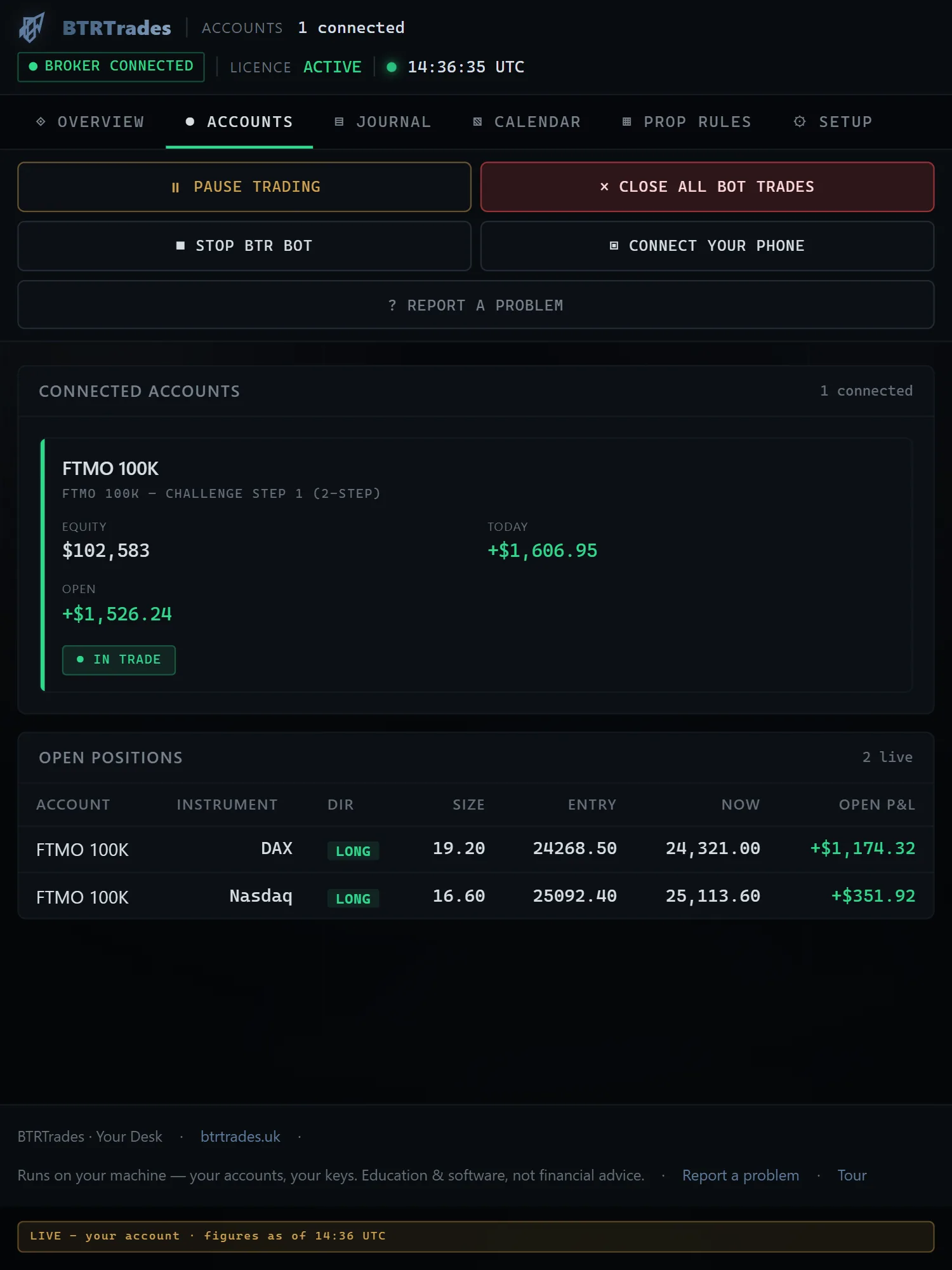
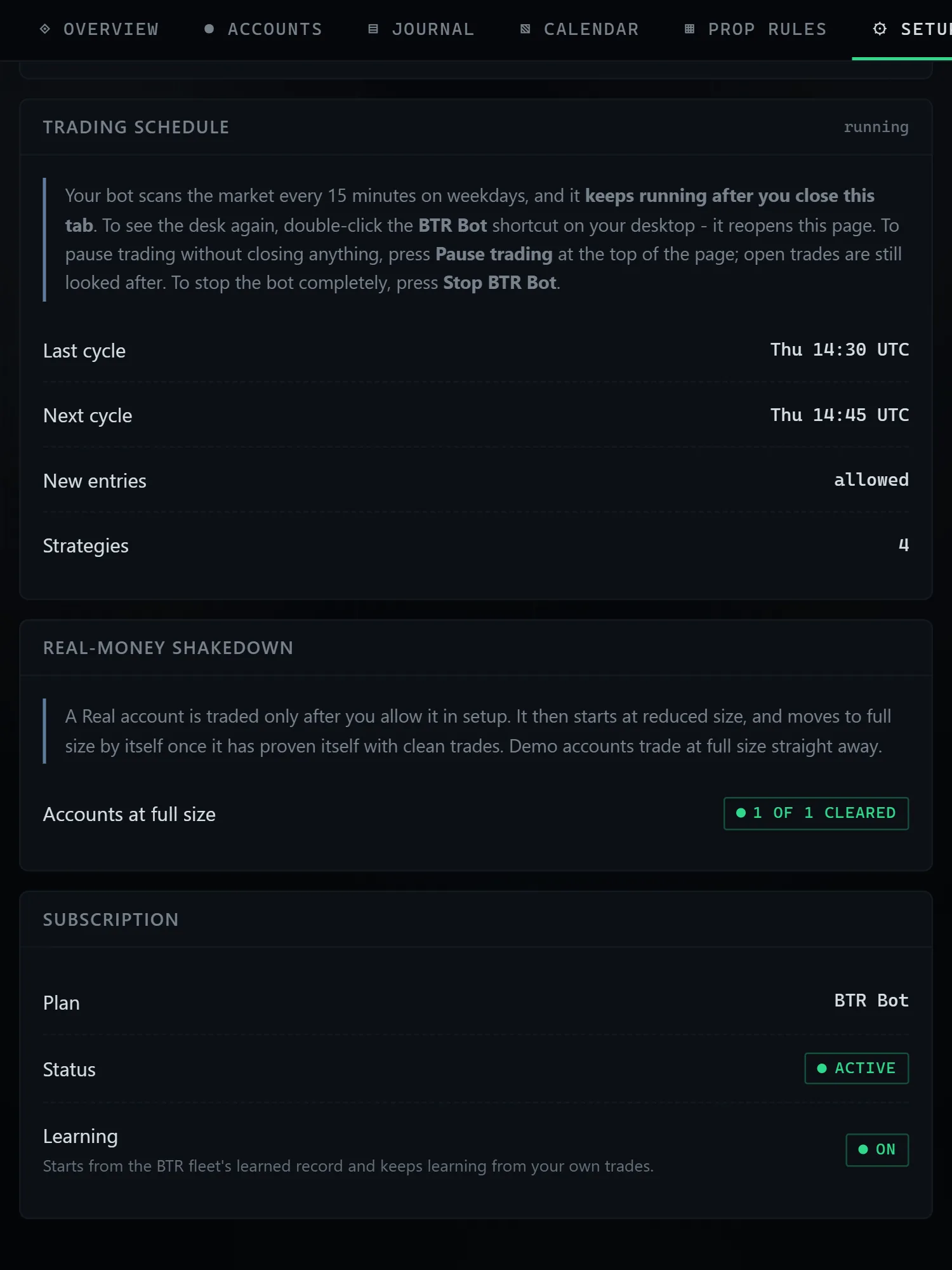
One desk for everything
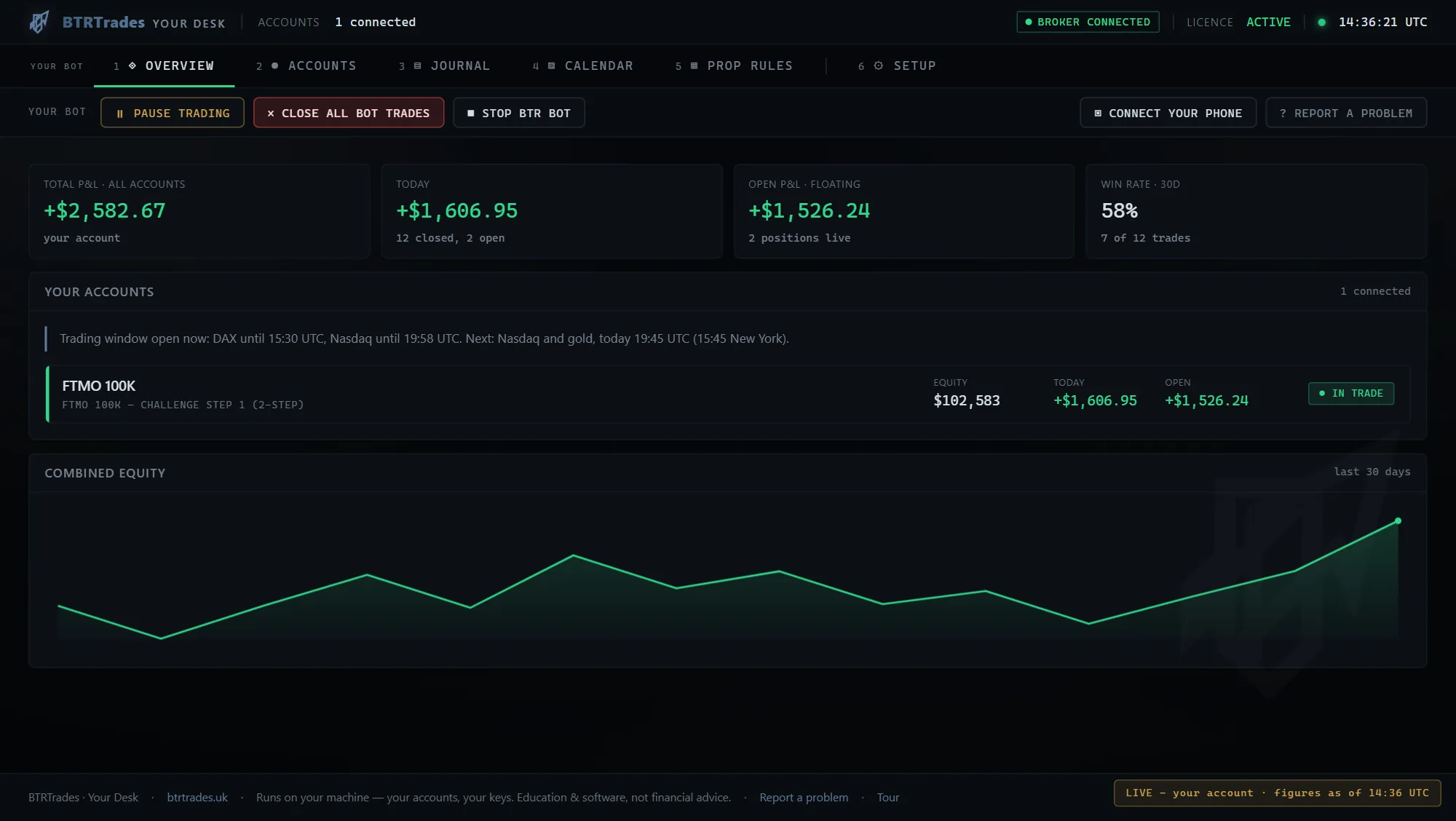
Your accounts, open trades, journal, daily P&L calendar and each firm's rules in one place, with Pause, Close all bot trades and Stop one click away.
Software · subscription
BTR Bot is trading software you install on your own Windows PC or Windows VPS. It trades your own prop-firm or broker accounts through MetaTrader 5, or futures prop-firm accounts through NinjaTrader 8, with the BTRTrades strategies, built-in risk controls and a desk you watch it all from.
The BTR advantage
Run the BTR strategies, risk controls and desk from one private installation on your Windows PC or Windows VPS. You choose the accounts it trades, and real money is traded only when you say so.
Explore everything includedYour accounts, open trades, journal, daily P&L calendar and each firm's rules in one place, with Pause, Close all bot trades and Stop one click away.
Broker credentials, settings and trade data remain on your hardware. BTRTrades never takes custody of your accounts.
Connect the account you choose and confirm the setup. Real money is traded only after you opt in, and a new real-money account starts at reduced size.
What's inside
One licence, the whole stack - installed on your hardware, holding your keys, under your control.
A book of strategies on the DAX, Nasdaq, Dow and gold, each with its own trading window, entry rules, stop and target, built and run on BTRTrades' own accounts. An AI market-forecast filter checks entries before the bot commits, and each update brings the latest learning from BTRTrades' own accounts. Every trade runs with visible safety controls and auditable decisions. Proprietary strategy logic and exact parameters remain protected.
A stop loss on every trade, a daily loss limit, risk on each trade sized to your account and your firm's rules, a pause around high-impact news, its trades closed before the weekend while it is running, and no new trades when the data it relies on is missing.
Overview, Accounts, Journal, Calendar, Prop rules and Setup, served by your own installation. Pause and Resume, Close all bot trades, Stop BTR Bot and Report a problem are always on screen, and Restart to update appears when an update is ready.
Every closed trade lands in the journal and on the daily P&L calendar, and the Prop rules tab shows how far each account is from its firm's loss limits and profit target.
Broker logins, trade history and configuration live on your machine. Your trades go straight from your computer to your broker; the bot contacts BTRTrades only to check your licence (about every 30 minutes), to fetch updates, and - only once you connect your phone from its desk - to send your phone its status about once a minute, so you can watch it and pause it from anywhere.
Continuous software updates and setup support through the BTRTrades Community while your licence is active.
The Desk
The desk ships with BTR Bot and runs on your own computer: every account, open trade and closed trade, the daily P&L calendar and each firm's rules, with the controls one click away.
How it works for you
Pick a plan - monthly, or 3, 6 or 12 months at a lower monthly rate. Each licence is individual - one customer, one installation, your configuration.
Guided setup on your Windows 10 or 11 PC or a Windows VPS. Setup helps you install MetaTrader 5 (free) and connects the account you are logged in to. For futures, choose NinjaTrader 8 and setup adds its bridge to NinjaTrader for you. We never see your broker password.
Live and prop-firm accounts alike: the bot reads each account, , and runs the right strategy at the right size for that account.
The bot trades a real-money account only after you tick the box for it in setup, and a new one starts at reduced size. Cancel anytime - the bot .
Licence
Launch price - discounted from £1,000.
Renews at the same length until you cancel. Cancel any time and keep access to the end of the period you have paid for.
Software licence only. No personal advice, no managed accounts, no performance guarantees. Practice and simulated results do not predict future returns.
Questions first? Email [email protected] or join the Community.
Digital products
Everything here is real and live today. Start with the free discipline checklist; the quick guides are the fast track; the Trading Bible is the full BTRTrades rulebook.
Free
A practical pre-trade and post-trade framework for cleaner decisions, defined risk, and rule-aligned review.
Educational content only. No financial advice. Trading involves risk.
£97one-time
Zero to a running trading bot in two weekends: anatomy, broker setup, the risk engine, honest testing and always-on deployment.
Educational content only. No financial advice. Trading involves risk. Results are not guaranteed.
£49one-time
Seven prompt patterns that actually work, a 20-prompt steal-ready library, and the daily integrations that make AI genuinely useful.
Educational content only.
£97one-time
The complete BTRTrades rulebook: preparation, execution discipline, risk structure, journaling, honest validation and the standards the desk itself is held to.
Educational content only. No financial advice. Trading involves risk. Results are not guaranteed.
Protected material
The complete methodology, exact live parameters, validation tooling and private templates remain controlled product assets, delivered only through purchase.
Setup reads the firm from the broker details your MetaTrader 5 account reports, or from the firm's name in the account name you give it. It applies the rules BTR Bot holds for that firm - drawdown type, daily-loss line, profit target - sized to your real balance, with the strategies fitted to those rules. When a firm sells several products with different rules (today, FTMO's 1-Step and 2-Step), setup asks which one you have. A broker account, a firm it does not recognise and a NinjaTrader account run its careful default rules: 0.25% risk per trade, a stop for the day at a 1.2% loss (on NinjaTrader, 1% on 100K and up, or less where the futures firm's own daily limit is tighter), and a drawdown floor 4% below the account's high point (on NinjaTrader, the futures firm's own line, or 3% on a 50K account and 2.5% on 100K and up). When setup does not recognise a firm on a MetaTrader 5 account, it asks whether the account is with a prop firm. On your own broker account there is no profit target, and the bot also trades the Dow window at 08:30 New York and gold in the 15:45 New York window. FTMO Swing, FundedNext and Funded Trading Plus accounts run every strategy. Elsewhere the bot runs what the firm's rules allow: no trading around news on FTMO Standard or E8 One accounts, and day trades only at futures firms, which require you to be flat by the close.
Fail-closedWhen a licence lapses the bot refuses NEW entries only. While it keeps running, open positions keep their stops, targets and management until they close normally. If you switch it off, open trades keep the stop losses already placed with your broker.